Integrated
Everything so far
The average since measurement started, gated so that silence between sentences does not drag it down. This is the one a target refers to when nothing says otherwise, and the one worth holding.
Loudness targets · LUFS · Streaming
If nobody has handed you a figure, use -16 LUFS integrated and stop thinking about it. The rest of this page is what that number is measured over, where the other numbers you have seen come from, why holding one target steadily does more for a listener than picking the perfect one, and why in OBS you set it on each source rather than on the stream.
The short answer
It is a sensible level for a talking stream, it is what LevelAnchor is set to out of the box, and you do not have to defend it to anyone. If a network, a production or somebody you stream with has given you a different figure, theirs wins: use it and skip the rest of this.
Three things make the answer worth more than the number. A LUFS figure means very little until you know what it was measured over, a target you sit on all evening is worth more to a listener than a better number you touch for ten minutes, and in OBS the figure goes on each source, where its real work is holding the balance between them.
Reading the number
LUFS measures how loud audio sounds rather than how tall its peaks are, weighted roughly the way hearing works. The same audio produces several different LUFS readings depending on how much of it is being averaged, so the window is part of the number. Four readings turn up on meters, and only one of them is a target.
Everything so far
The average since measurement started, gated so that silence between sentences does not drag it down. This is the one a target refers to when nothing says otherwise, and the one worth holding.
Last 3 seconds
Moves with what you are doing. Useful to watch and wrong to chase: correcting to it turns level control into compression, because it reacts to phrases rather than to the programme.
Last 400 ms
Close to a live meter reading, and about as steady as one. Good for spotting that something is wrong, far too twitchy to aim at.
dBTP, not LUFS
Not a loudness figure at all: the highest point the waveform reaches, including between samples. A ceiling to stay under, not a target to hit. -1 dBTP is the usual ceiling, and it is where LevelAnchor's limiter sits.
Where they come from
Three figures turn up in every thread about this, and two of them are broadcast numbers that arrived with a document attached. Knowing which is which tells you when a number applies to you.
EBU R128
The European broadcast recommendation, published in 2010, and the reason loudness metering looks the way it does today. It exists so that programmes and adverts from different producers arrive at a viewer at the same loudness instead of being fought over with a remote control.
R128 also states how close counts as on target: within plus or minus 0.5 LU for produced programme, and plus or minus 1.0 LU where the material is less predictable, such as a live mix.
ATSC A/85
The North American counterpart, and the standard the CALM Act points at for measuring commercial loudness. LKFS is the same scale as LUFS under a different name, so -24 LKFS and -24 LUFS describe the same loudness.
It matters here only as context: if a figure like this is handed to you, it comes from broadcast delivery rather than from anything a streaming platform decided.
Talking streams
Louder than either broadcast figure, deliberately. Broadcast sits low because the chain to the viewer is controlled end to end and has headroom to spare; a stream is listened to on laptop speakers, phones and cheap headphones, next to everything else open on the machine.
-16 LUFS integrated leaves a talking stream comfortably audible without running out of room above it, which is why it is the default in LevelAnchor and a reasonable place to stay.
Figures attributed to platforms are the ones to be careful with. Streaming services do adjust what they serve, they change how they do it without announcing it, and none of them publishes a number that stays true long enough to build a setup around. Whatever they do happens on their side, to the finished mix, after it has left your PC.
So a figure copied from a forum post is a moving target and a figure you hold is not. A stream that sits on one level all evening sounds like itself whatever is applied to it afterwards, which is the practical reason to care about consistency more than about the exact number.
In OBS
One detail decides how any of this works in practice. OBS applies audio filters to a source, and it has no master bus to put a filter on, so a loudness target set inside OBS is a target for that source rather than for the finished stream. Two sources each held at -16 and then mixed together do not arrive as -16, and the mixer's volume slider moves them again after the filter has done its work.
That is less of a limitation than it first sounds. Held sources are exactly what makes a mix predictable: your voice arrives at the same level tonight as last week, the game arrives at the same level, and the balance between them becomes something you set once instead of chasing every hour. Inside OBS a loudness target is a mixing tool, and a good one.
Where a host does have a master bus, one instance on it holds the whole finished programme on the number directly. That is the job the engine underneath was built for: LevelAPI2, the loudness library behind LevelAnchor, is licensed to companies putting that into their own products.
If what you are really chasing is a microphone that disappears under the game rather than a number, why stream audio comes out too quiet works through the symptoms one at a time.
Setting it
What a listener notices is not the number, it is the number moving. A stream that sits on -16 all night is easier to listen to than one that is briefly perfect and then quiet for an hour, and nobody in chat has ever asked which figure you picked.
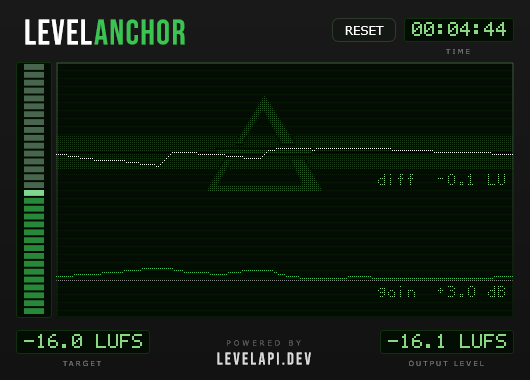
Hitting a target once is a measurement. Holding it is the work, and doing it by hand means watching a meter and nudging a fader for the length of the stream. LevelAnchor is a free Windows VST plugin that does that part: it measures the programme loudness of a source continuously and moves the gain to keep it on target, slowly enough that you do not hear it working and without a compressor's squashing.
The target strip runs from -24 to -8 LUFS with -16 already set, and that is the entire interface. A limiter at the end holds the ceiling at -1 dB, so pulling a quiet source up cannot push peaks into clipping. Setting it up in OBS takes a few nested menus once, and the LevelAnchor page walks through the OBS setup step by step.
There is a short video of it doing that, if hearing it is quicker than reading about it: the same stream before and after, then the OBS setup (2:44).